How to Optimize Beauty Product Pages for AI: From HTML Conversion to Store Implementation
Optimize beauty product pages for AI with VIVI PDP Converter. Convert images to HTML, review product details, and update your store. Try one conversion free.
Optimize beauty product pages for AI with VIVI PDP Converter. Convert images to HTML, review product details, and update your store. Try one conversion free.
Optimize beauty product pages for AI with VIVI PDP Converter. Convert images to HTML, review product details, and update your store. Try one conversion free.
Optimize beauty product pages for AI with VIVI PDP Converter. Convert images to HTML, review product details, and update your store. Try one conversion free.
Optimize beauty product pages for AI with VIVI PDP Converter. Convert images to HTML, review product details, and update your store. Try one conversion free.
Your beauty product pages cover everything from ingredients and texture to hydration test results. What does it take to make that information accessible to AI search?
Imagine a shopper asking AI for “a moisturizer that works well under makeup.” To suggest relevant products, AI needs access to details such as texture, skin feel, and application instructions. But if those descriptions appear only inside a single long image, AI may miss key product features when collecting information from your website.
In this article, we’ll show you how to use VIVI’s PDP Converter to turn product information embedded in images into text and HTML, then apply the result to your online store—helping make your product pages accessible as potential sources for AI answers. You can start with the images you already have, without rebuilding your product pages from scratch.
Sign up for VIVI to try one product detail page optimization for free. If you’re a beauty marketer, prepare one product detail image and follow the steps below.
Sign up for VIVI and optimize a product page for free →
Beauty product pages often combine product photos, descriptions, and test results into a single long image. This format makes it easy to showcase texture and brand aesthetics while communicating product benefits.
However, information that people can see is not always equally accessible to AI. Shoppers can read an image to learn which ingredients a product contains or when to apply it. When AI search services collect web content through HTML-based text extraction, an <img> tag provides information such as the image URL and alternative text (alt text). Reading the words within the image requires an additional step, such as optical character recognition (OCR) or processing with a vision model. As a result, even detailed product information may be missed if it exists only inside an image.
The next step is to make those descriptions available as HTML text on the page as well. HTML is the format used to structure web pages, allowing product descriptions to exist as actual text rather than words embedded in an image.
For example, if an image says “Gel texture. Apply after toner,” you can also provide that description as HTML text. This makes the product’s texture and application instructions directly readable from the page, without requiring image interpretation.
Google’s official guidance for AI Overviews and AI Mode also recommends making important content available in textual form. For beauty product pages, consider providing the following information as text:
| Information shown in images | Information to provide as text |
|---|---|
| Key ingredients | Ingredient names and stated concentrations |
| Texture and skin feel | Product format, such as cream or gel, and descriptions of how it feels |
| Hydration test results | Results, test population, duration, and conditions |
| How to use | Application steps, amount to use, and precautions |
The goal is to keep using your existing product page design while making its descriptions available in a form AI search systems can read. Converting content to HTML does not guarantee citations in AI answers, but it helps make the information needed to describe your product accessible.
Let’s walk through how to convert your product detail image with PDP Converter.
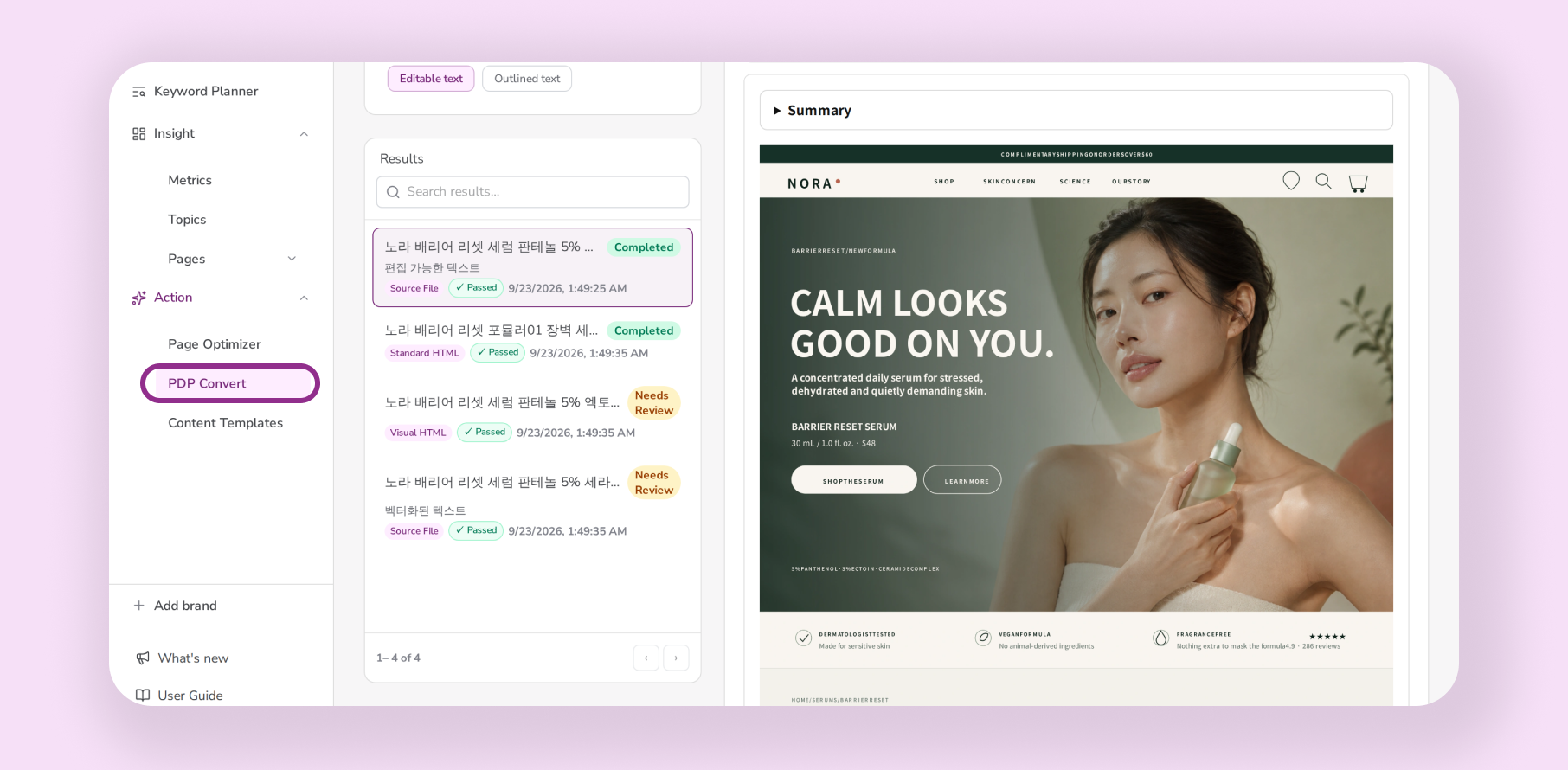
Choose a product to optimize and prepare one product detail image that includes written descriptions. Rather than a hero image showing only the product, choose an image containing information you want shoppers to know, such as ingredients, texture, and application instructions.
For a moisturizer, this might be an image covering key ingredients, skin feel, and hydration test results. You can use an existing image from your online store.
Once your image is ready, sign up for VIVI to start your free PDP Converter trial.
Sign up for VIVI and try PDP Converter for free →
After signing up, open PDP Converter from the left-hand menu. Upload your product detail image and start the conversion.
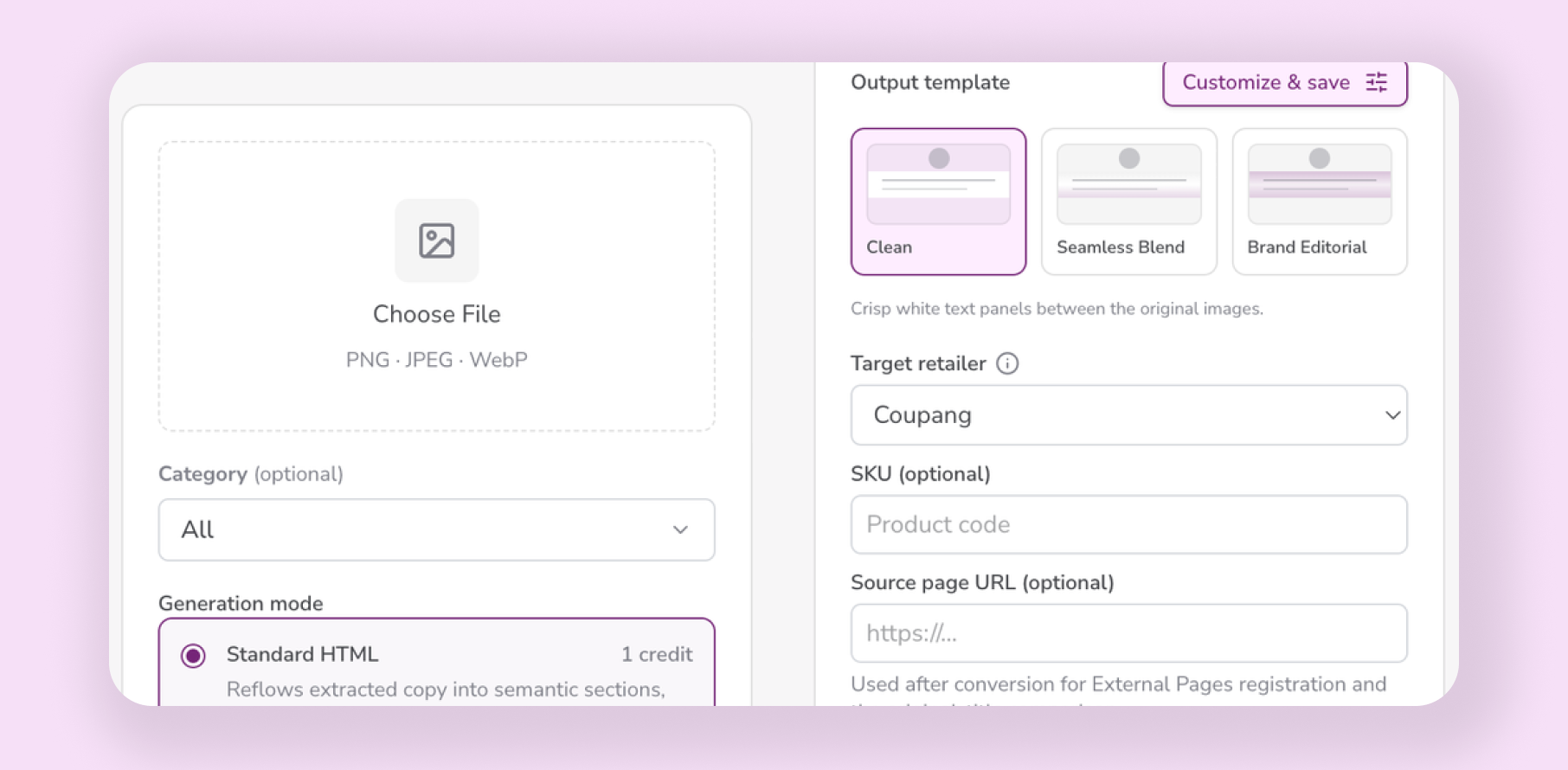
Before uploading, check that you have the correct product image and that no descriptions or small print have been cropped out. If important details such as ingredient concentrations or test conditions are missing from the image, they may also be missing from the output.
Once the conversion is complete, open the result. In the next step, you’ll compare it with the original image to check how the product descriptions have been transferred.
For detailed settings and feature instructions, see the PDP Converter guide.
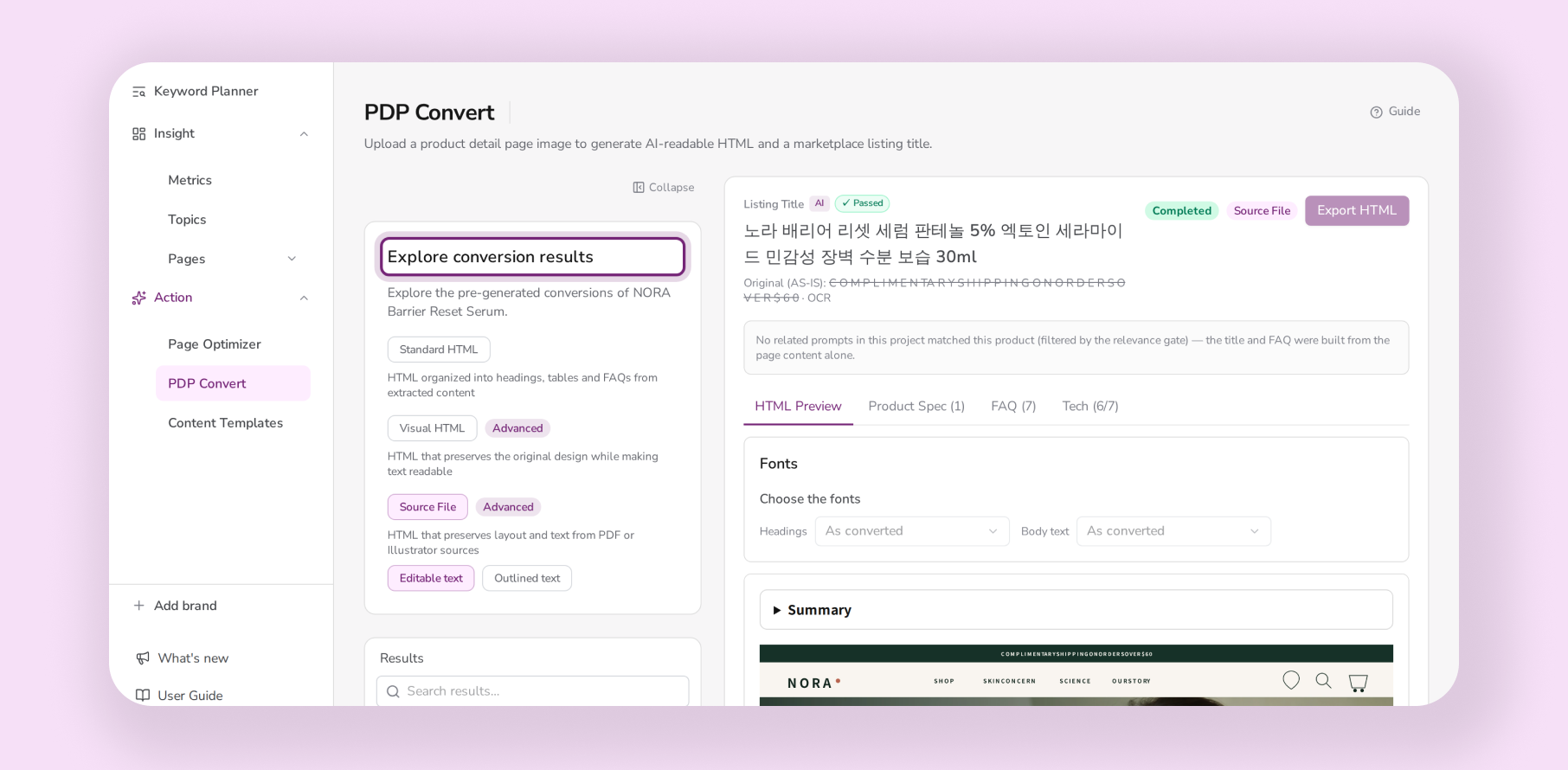
Start with the information you most want customers to understand. For a moisturizer, check that the key ingredients, skin feel, and application instructions are accurately represented.
Then compare the output with the original image to review details such as numbers, units, and precautions.
| Information to check | What to look for |
|---|---|
| Ingredients | Do ingredient names, concentrations, and units match the original? |
| Texture and skin feel | Do the descriptions preserve the meaning of the original claims? |
| How to use | Are all application steps and precautions included? |
| Test results | Are the results accompanied by the test population, duration, and conditions? |
For hydration test results, check both the prominently displayed figures and the conditions in the small print. Omitting the test population or duration can change how a result is understood.
Also check that no unsupported benefits have been added and that information from different product variants has not been mixed together. Correct any issues before applying the result to your store.
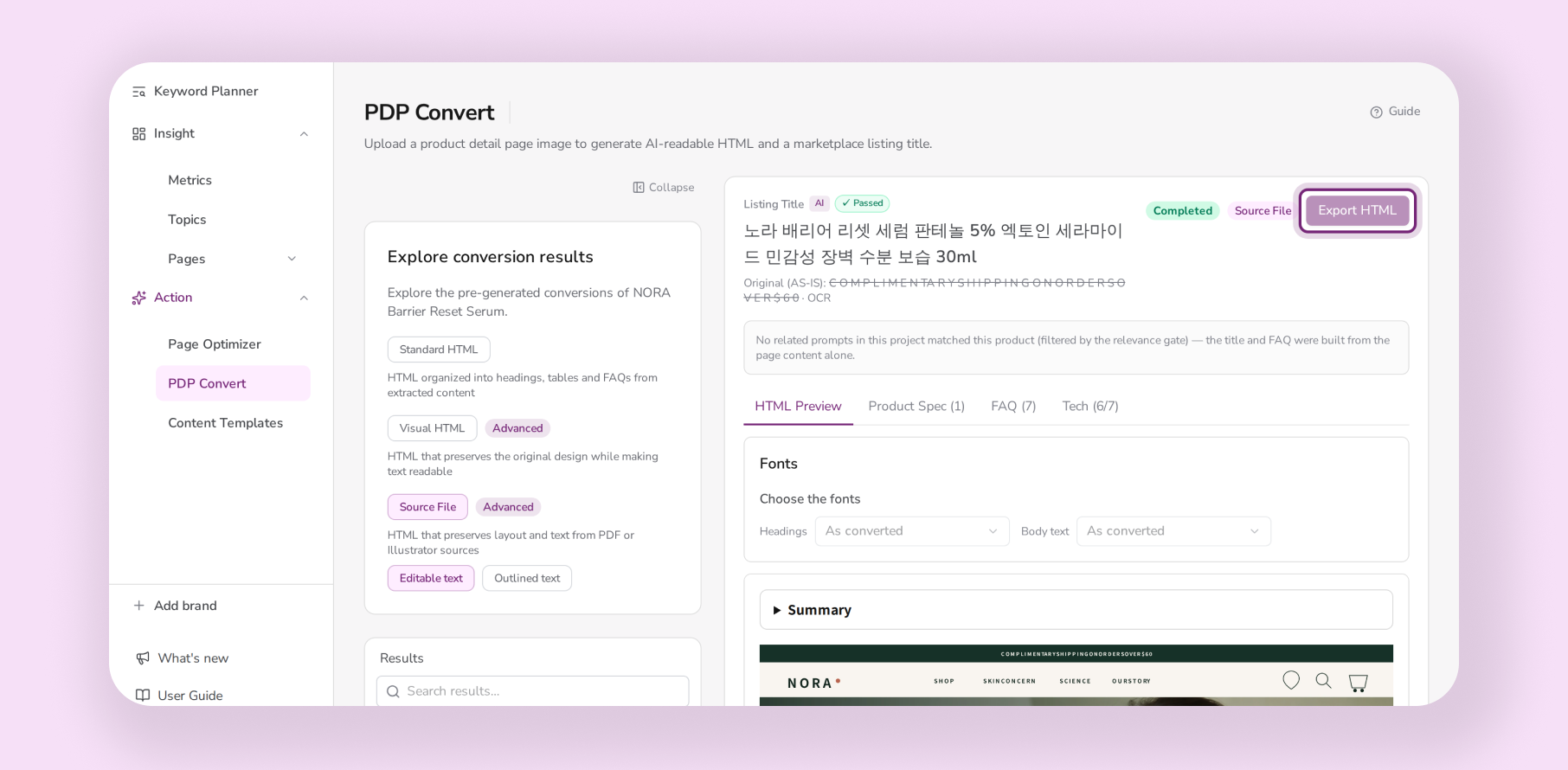
Once you’ve checked the product information, it’s time to add the HTML to your store. The converted content needs to be applied to the live product page before visitors and search systems can access the updated information.
If your store lets you edit product page HTML directly, you can add the content yourself. If updates are handled by a developer, share the HTML output and the relevant product page with them.
The editing location varies by platform, including Shopify, Salesforce Commerce Cloud, and Cafe24. Use the table below to find the approach for your store.
| Ecommerce platform | Where and how to apply the HTML | What to check afterward |
|---|---|---|
| Shopify | • Select the product in the admin • Switch the product description editor to “Show HTML” • Add the HTML for the product description | • Correct display in the active theme • No duplication of existing descriptions |
| Salesforce Commerce Cloud | • Confirm the relevant product description field or content area with your operations or development team • Apply the HTML to that area • If the page uses a separate content section, update that section | • Updated content appears on the actual product page • Whether development work or a separate deployment is required |
| Cafe24 | • Open “Product detailed description” on the product creation or editing screen • Open the editor’s “〈 〉” HTML source editing mode • Add the HTML for the product description | • Whether desktop and mobile descriptions are managed separately • If so, whether both have been updated |
You’ve invested time in creating product pages that explain your products to customers. Make that information available in a form AI search systems can use, too.
Start with one product detail image. Convert it with PDP Converter, check that the descriptions accurately reflect your product, and apply the result to your store. You can reuse your existing content while making information previously embedded in images available as text.
Sign up for VIVI to try one product detail page optimization for free. Get started with an image from your own product page.